Smart home basics: devices and planning
A smart home connects devices and rules so they work together usefully. It might provide a dim hallway light at night, suitable heating control or a notification about an open window. The important question is not how many apps you have, but whether the function remains understandable, dependable and manually controllable.
You do not need to rebuild the whole house to begin. A small, planned project often teaches more than a large purchase with uncertain compatibility. This guide explains the components and helps you plan your first application.
Sensors, controllers and actuators
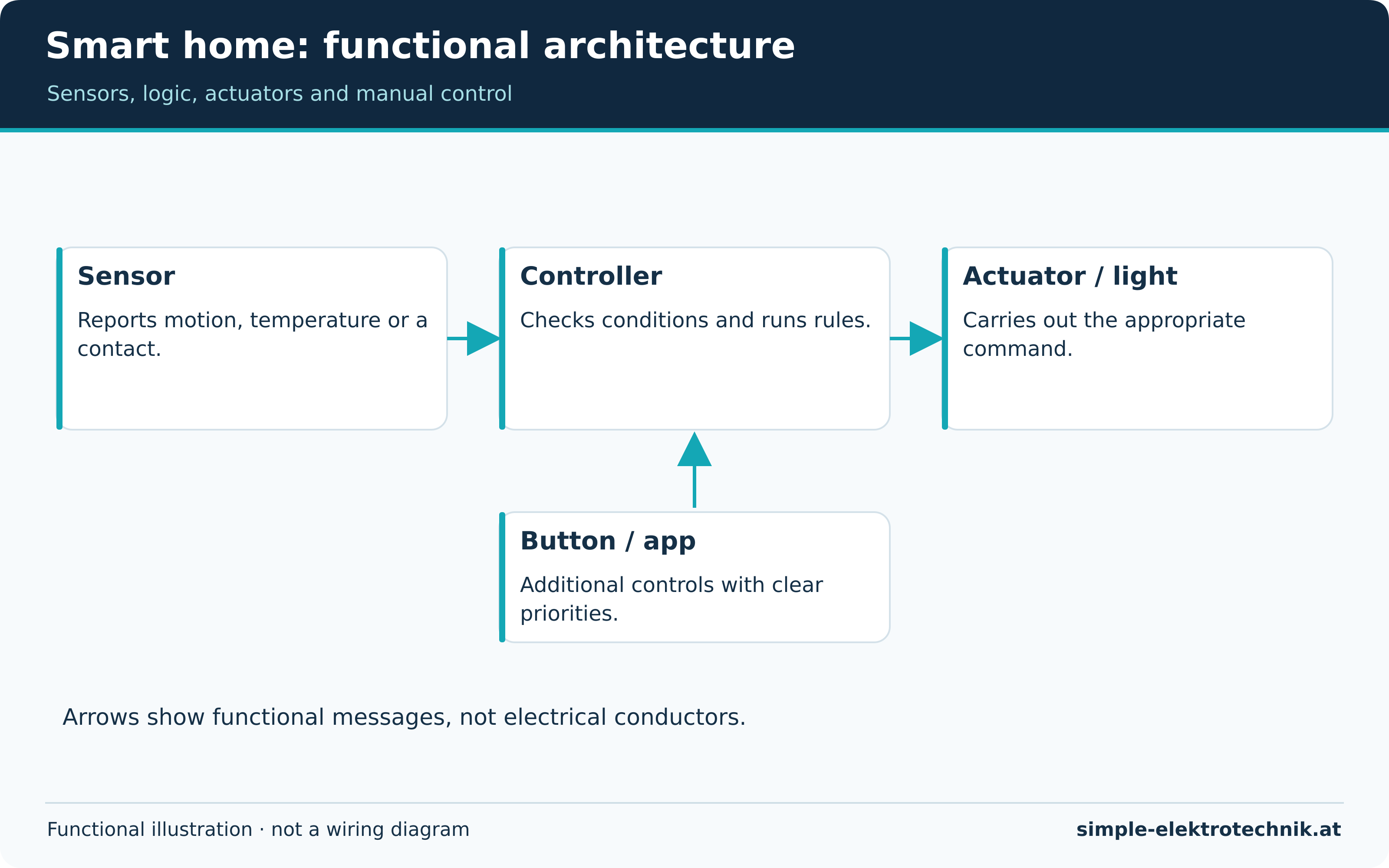
A sensor detects something, such as motion, temperature or an opening door. A controller evaluates information. An actuator carries out a command by switching, dimming or moving something. One device may combine several of these roles.
The user interface is a separate concept. A phone app displays states and accepts commands, while the actual automation may run on a hub, inside a device or in a provider's cloud. Your phone does not necessarily need to remain at home for every routine. Establish where the logic runs before choosing equipment.
For a simple night light, a motion sensor reports an event. The controller checks darkness and night mode before sending a command to a suitable light. A button or app can provide manual control as well. The overview diagram illustrates functional messages, not electrical wiring.
Local operation and cloud services
Local operation means the particular function is handled within your own system. Cloud services run on external servers. Both may be present in one installation. A light may work locally while the voice assistant used to control it requires internet access.
Loss of internet is different from router failure, a failed hub or a power cut. What survives each event depends on the actual arrangement. Verify claims of offline operation for every important function. See privacy and reliable operation for more detail.
Choosing an appropriate starting point
Begin with a specific problem. Making a dark hallway easier to use is a practical objective. Making everything smart does not yet define a benefit you can test.
| Starting situation | Useful planning approach |
|---|---|
| Rented home without alterations | Suitable bulbs, plug-in devices and battery sensors; clarify consent for building changes |
| Existing fixed installation | Have switches, conductors, available space and loads assessed by a competent professional |
| New build or major renovation | Plan controls, cable routes, distribution, bus/network technology and maintenance together |
| Several existing ecosystems | Document what is installed and verify integrations before adding another hub |
Wireless is not limited to rented homes, and a bus installation is not necessarily tied to one manufacturer. Choose according to the task, building and maintenance needs. The systems guide explains the main technologies.
Plan one small project completely
For hallway lighting, first define when it should turn on and off. Can people sit quietly there? Should a button keep it on longer? How is automatic mode temporarily disabled? Answering these questions prevents conflicting routines later.
Then list the components: a suitable lamp or actuator, the sensor, any required controller or bridge and an accessible control. Check the exact models and required features before buying. A broad compatibility logo does not settle every detail.
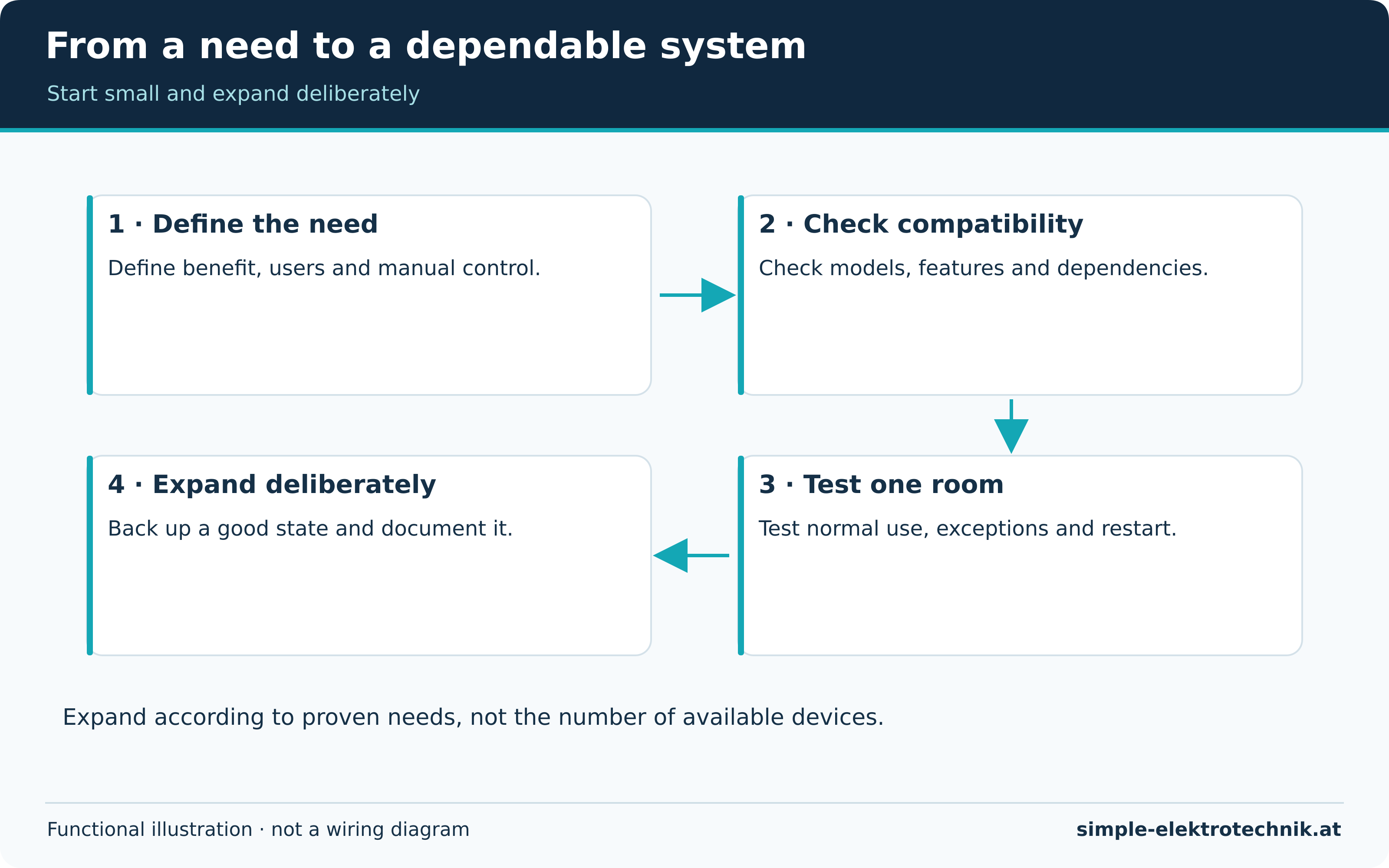
The planning diagram moves from identifying a need through compatibility checks and a one-room trial to expansion. Fixed electrical installation is not a software setting. Work on mains wiring, distribution equipment or heating connections requires the competence and authorisation applicable to the installation's country.
Consider cost, benefit and maintenance together
Beyond purchase price, include hubs, adaptors, radio hardware, batteries, subscriptions and electricity use. Setup, updates and fault-finding also take time. A useful convenience feature need not repay its entire cost through energy savings to have value.
For a long service life, consider update support, replacement options and recoverable configuration. Record names, rooms, responsibilities and important settings. Store credentials securely rather than exposing them in a general equipment list.
Not every task needs another sensor. A sensible schedule or accessible button may be enough. The energy guide distinguishes genuine savings from additional functionality.
Configure, test and then expand
- Add devices individually and give them meaningful names.
- Verify manual control before introducing automation.
- Test normal use, exceptions and repeated triggers during an active routine.
- Check failure behaviour as permitted by the instructions without interrupting essential protective functions.
- Record changes and create an appropriate backup.
- Expand to other rooms only after the initial behaviour is understood.
Include other household members in testing. Lighting that only its installer can operate is not practical. Visitors should not need an account simply to switch on essential lights.
Common questions
Do I need artificial intelligence?
No. Simple, predictable rules provide many useful functions. Learning features help only when their behaviour suits the household and can be corrected.
Must everything come from one manufacturer?
Not necessarily. Cross-brand operation depends on standards, bridges, integrations and supported features. An open platform can help but does not guarantee every combination.
What should I read next?
Start with systems and communication standards for equipment selection or lighting control for a first application. The automation guide then explains how the parts work together.
Sources and further information
Tools for electricians
A compact selection for cutting, stripping, screwdriving and testing. Choose the actual version for the task and follow its instructions.
Advertising / affiliate links. As an Amazon Associate I earn from qualifying purchases. Product images and names lead to the existing Amazon listings.
Weidmüller KT 8 cable cutter
- For suitable copper and aluminium conductors.
- The cutting geometry is designed for a clean cut.
Check conductor material and permitted capacity. A cable cutter is not a general-purpose bolt or steel-wire cutter.
Weidmüller stripax insulation stripper
- Automatic stripping tool for approved conductors and insulation types.
- Includes an adjustable length stop and a separate cutting function.
Stripping range and cutting capacity are different. A stripping range up to 10 mm² does not mean it can cut conductors of the same size.
Fluke LVD2 non-contact voltage detector
- Indicates AC voltage within its intended application.
- Includes two sensitivity levels and an integrated light.
No indication does not prove dead. Shielding, distance and installation affect detection; it does not replace the appropriate two-pole procedure.
PB Swiss Tools PB 5543 VDE screwdrivers
- Set for matching slotted and Pozidriv screws.
- Match the screw profile, size and marked tool version.
Tested insulation does not generally authorise live work. Tool condition and the working procedure remain essential.
Fluke T130/VDE two-pole voltage tester
- For voltage and continuity checks according to its instructions.
- This model family combines LED indication with an additional LCD.
Use the correct proving-dead procedure and required instrument checks. An isolated LCD reading does not replace them.