

Smart home privacy, remote access and reliable operation
A smart home should remain manageable after setup day. Updates, lost communications, changed access rights and failed hardware all need consideration. Privacy and reliable operation belong in planning, not only in fault-finding.
Ask who can operate each function, which data leaves the home and what happens when a component fails. Local operation reduces some dependencies without automatically making the system secure.
Understand data paths and permissions

Devices may process temperature, occupancy, energy, images or voice commands. Even ordinary time histories can reveal patterns of use. Review accounts, services, retention and deletion as well as functions.
Cloud features may process data externally. A locally integrated device can still use manufacturer services. Assess local operation per function and data path. Choose external services deliberately rather than adding an unintended second integration.
Give users only the access they need. Lighting control does not automatically require camera, location or administrator access. Review rights and active sessions when household or contractor access changes.
Accounts and update support
Use strong unique passwords and multi-factor authentication where available. Change default credentials and retain secure recovery options without exposing passwords on a dashboard.
Consider support before purchase. Update with a suitable backup and verify operation afterwards. Indefinitely avoiding updates and making untested changes just before a long absence are both poor strategies.
Routers, radio hubs, apps and phones are part of the system. A secure server does not compensate for a lost unprotected administrator device. Remove unused accounts and integrations.
Separate local access from remote access

Home-network access and access from outside are different tasks. Do not casually expose a local interface through router port forwarding. Suitable maintained solutions may include a supported encrypted access service or a correctly configured VPN.
A VPN does not replace account security or updates. A password on a forwarded port does not make every application safe. Actual configuration depends on the product and network; this guide is not a universal router procedure.
Segmentation can limit access but must permit required communications. Discovery, multicast and local IPv6 may be needed. A fully isolated guest network is not automatically suitable for every Matter arrangement. See systems and standards.
Plan for four different failures
| Failure | What to verify |
|---|---|
| Internet or cloud | Local rules, voice/remote access and notifications separately |
| Home network or radio | Reachability, local device inputs and manual operation |
| Controller | Direct functions, surviving rules and recovery |
| Power | Affected devices and intended state after supply returns |
These are not equivalent. An offline-capable routine may still depend on a router or controller. A UPS may temporarily supply selected components, but does not fix software faults or every outage.
Unavailable readings need appropriate fallback behaviour. An unreachable contact is not proven closed. Critical functions must not rely solely on unverified comfort automation.
Backups, recovery and documentation
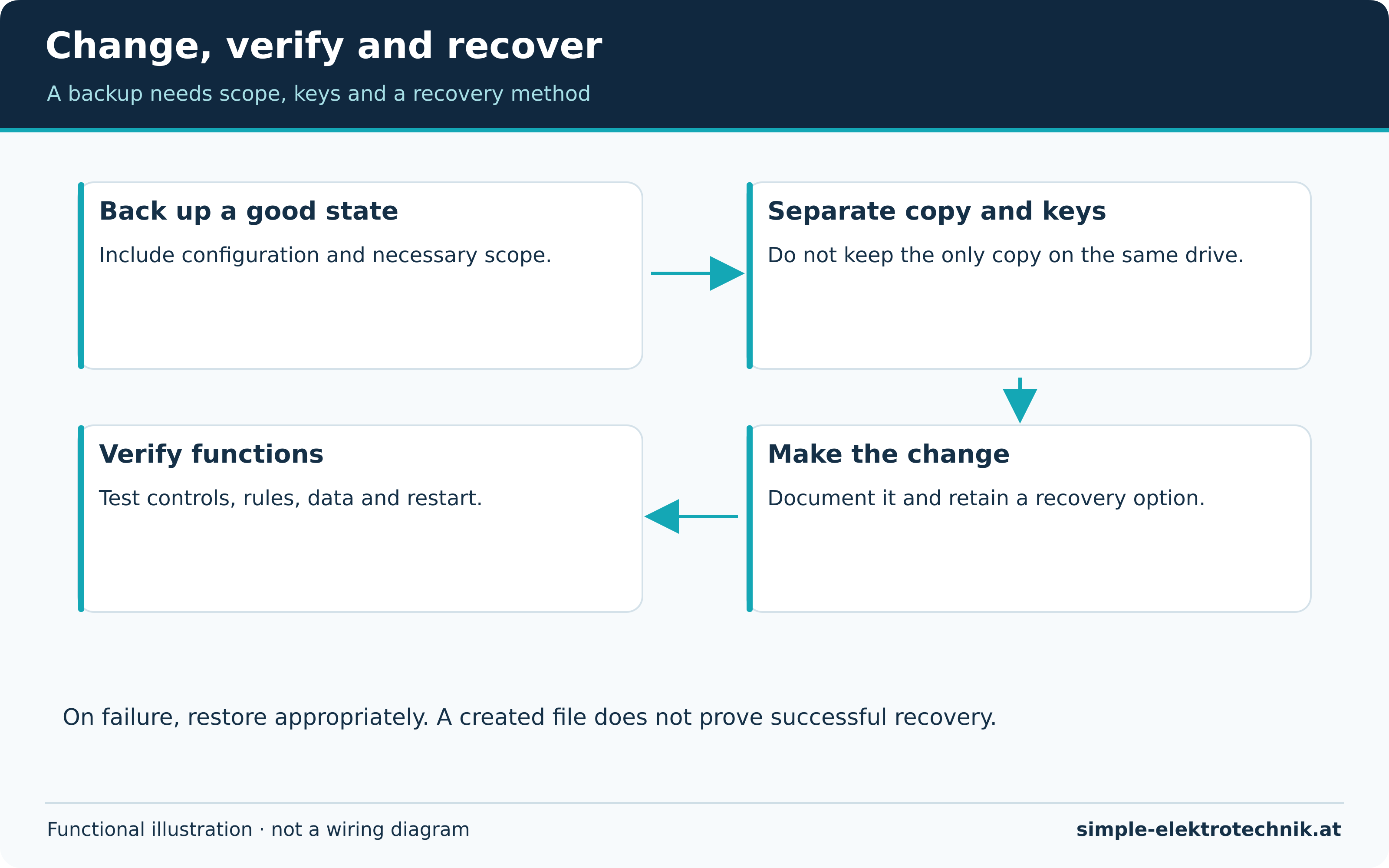
The recovery diagram shows a process: back up a known good state, retain a separate copy, make a change, verify operation and restore selectively if necessary. A backup only on a failed device cannot protect against that device's loss.
Scope varies: configuration, automations, assignments, databases and keys may be involved. A server backup does not automatically include every radio-network configuration or external account relationship. Verify the actual coverage.
Encrypted backups need accessible recovery keys, stored securely and separately from a sole unreadable copy. A suitable recovery trial is stronger evidence than a backup-created message. Do not reset the functioning home indiscriminately to perform that trial.
Cameras, alerts and protection
Cameras and occupancy records affect other people. Clarify purpose, field of view, rights, storage and applicable local privacy requirements. This article does not grant legal permission to monitor public or neighbouring areas.
Smoke, gas and water alarms require suitable design for their task. A push message is not automatically supervised alarm transmission. Required local warning and protection must not depend on a phone's internet connection.
Define recipients and responses, including repetition, quiet hours and changed responsibility. A dashboard is not a permanently staffed monitoring centre.
Routine operating checks

- Review support and necessary updates.
- Keep users, devices and integrations current.
- Make low batteries and stale readings visible.
- Verify essential manual functions and permitted failure tests.
- Keep separate backups and recovery information.
- Record changes with their date and purpose.
Common questions
Is local operation always safer in every respect?
It reduces some external dependencies. Accounts, network security, updates and maintenance still matter. Unsuitable remote exposure can undermine those advantages.
Is a pre-update backup enough?
It is an important step, but its scope, readability, keys and known recovery process determine whether it is useful.
Must everything continue after a failure?
Not every comfort feature. Necessary functions need suitable protection and understandable fallback behaviour. The planning guide helps establish priorities. National privacy and installation rules remain those applicable to the actual home.
Sources and further information
Electrician's tools
The linked products illustrate different cutting, stripping and testing tasks. Affiliate links can generate commission; check the exact model and supplied version before purchase.
Select tools for the task, material and electrical conditions. Price or brand alone does not establish suitability or safe use.
Compare the manufacturer's specifications rather than rely on a general claim of best quality or value.
If the table is wider than the screen, swipe or scroll sideways to view every column.
 |
|
 |
Weidmüller stripax stripping and cutting tool, 9005000000
|
 |
Fluke LVD2 non-contact AC detector with torch
|
 |
PB Swiss Tools PB 5543 electrician's screwdriver set
|
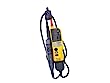 |
Fluke T130 two-pole voltage and continuity tester
|
Explore the Electrician's Tools guide for the purposes and limitations of the existing cutting, stripping and testing tools. Check the actual model and task before selecting or using equipment.
Read more